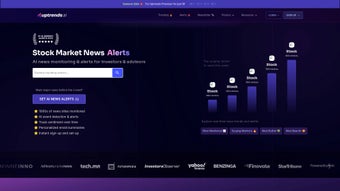

Download Babbl AI – AI‑Powered Stock Market Monitoring Tool
Introduction
Babbl AI is a cloud‑based, AI‑driven stock‑market monitoring platform that consolidates real‑time news, social‑media chatter, and fundamental data into a single, easy‑to‑read dashboard. In an era where information overload can cripple trading decisions, Babbl AI uses natural‑language processing (NLP) to scan thousands of articles, tweets, Reddit posts, and regulatory filings the moment they are published. The engine then translates raw text into a sentiment score ranging from -1 (strongly negative) to +1 (strongly positive) for each ticker symbol, allowing investors to see at a glance whether market participants are bullish or bearish.
The platform is designed for both DIY investors who need a simple watchlist and professional traders who demand granular, customizable alerts and API access. By providing instant notifications for price spikes, earnings releases, legal events, and sudden surges in online conversation, Babbl AI helps users stay ahead of catalysts, reduce research time, and make data‑backed decisions with confidence. Whether you trade equities, ETFs, or cryptocurrencies, the tool’s flexible architecture adapts to any strategy, making it a valuable addition to any trader’s toolkit.
Features & System Compatibility
- AI‑Driven Sentiment Engine: Real‑time analysis of news, tweets, Reddit posts, and regulatory filings to generate a unified sentiment index per ticker.
- Custom Watchlists: Unlimited watchlists with drag‑and‑drop organization, tagging, and CSV import/export.
- Instant Multi‑Channel Alerts: Push, email, SMS, or in‑app notifications for price moves, earnings, legal events, and conversation volume spikes.
- Historical Sentiment Charts: Time‑series visualizations that let you back‑test strategies against past sentiment trends.
- Advanced Filtering: Keyword inclusion/exclusion, sector filters, source prioritization, and sentiment‑threshold rules.
- Analytics Dashboard: Heat maps, correlation matrices, and price‑vs‑sentiment graphs for deep insight.
- Secure Cloud Architecture: End‑to‑end encryption, GDPR/CCPA compliance, and role‑based access controls.
- RESTful API & Export Options: CSV downloads and API endpoints for seamless integration with third‑party trading systems.
- Native Mobile Apps: iOS and Android clients that sync with the web dashboard for on‑the‑go monitoring.
- Scalable Pricing: Free tier for basic monitoring and paid plans for advanced analytics, API access, and unlimited alerts.
Because Babbl AI is a browser‑based SaaS solution, it works on any modern operating system that supports the latest versions of Chrome, Firefox, Edge, or Safari. This includes Windows 10/11, macOS Monterey or later, popular Linux distributions, as well as mobile platforms such as Android 9+ and iOS 13+. The responsive design automatically adjusts to desktop, laptop, tablet, or smartphone screens, and the native mobile apps provide push‑notification support without leaving the browser.
Installation & Getting Started
Account Creation and Initial Setup
Babbl AI requires no local installation. Visit the official website, click “Sign Up,” and complete the short registration form with a valid email address and a strong password. After confirming your email, you are taken to an onboarding wizard that walks you through the creation of your first watchlist, selection of preferred data sources, and basic alert configuration. The wizard also offers a brief video tutorial that explains the sentiment score methodology and how to interpret the dashboard’s visual cues.
Building Watchlists and Configuring Alerts
To add a ticker, open the “Watchlists” tab, type the symbol, and select from the auto‑complete dropdown. You can assign custom tags (e.g., “Growth,” “Dividend”) and set individual alert thresholds such as a 3 % price move or a sentiment swing of ±0.25. Alerts can be delivered via browser push, email, or SMS, and you can choose between immediate notifications or a daily digest. For power users, the “Advanced Rules” panel lets you combine multiple conditions—e.g., trigger an alert only when price rises **and** sentiment turns positive within a 30‑minute window.
Analyzing Data and Exporting Results
The “Analytics” section provides interactive charts that compare sentiment trends against historical price performance. Use the date‑range selector to isolate specific events, such as earnings releases or regulatory announcements. For deeper research, click any data point to view the original source article or tweet, complete with the AI‑assigned sentiment score. Premium users can download CSV reports or call the RESTful API to pull sentiment data directly into their own quantitative models, enabling automated trading strategies that react to market sentiment in real time.
Pros, Cons, and Frequently Asked Questions
Pros
- AI‑driven sentiment analysis aggregates diverse data sources in real time.
- Highly customizable watchlists, alerts, and filtering rules.
- Historical sentiment charts support back‑testing and strategy refinement.
- Responsive web interface works across Windows, macOS, Linux, Android, and iOS.
- Secure cloud infrastructure with encryption, GDPR compliance, and optional 2FA.
- API access and CSV export for advanced users and algorithmic traders.
Cons
- Premium features (API, advanced analytics) require a paid subscription.
- Real‑time alerts depend on an active internet connection; offline use is limited.
- Learning curve for newcomers unfamiliar with sentiment metrics.
- Sentiment accuracy may vary for low‑volume stocks with minimal social chatter.
Is Babbl AI free to use?
Babbl AI offers a free tier that includes basic watchlist functionality, limited alerts, and access to the core sentiment feed. Advanced analytics, unlimited alerts, and API access are available through paid plans starting at $49 per month.
How does Babbl AI calculate sentiment scores?
The platform uses a proprietary NLP model trained on millions of financial articles, tweets, and Reddit posts. Each piece of content receives a score from –1 (negative) to +1 (positive). Scores are then aggregated per ticker and normalized to produce a real‑time sentiment index.
Can I export data for my own analysis?
Yes. Premium users can download CSV reports of sentiment scores, alert logs, and historical price data, or use the RESTful API to pull data directly into custom trading algorithms.
Is my personal and financial data secure?
Babll AI employs end‑to‑end encryption, secure cloud storage, and complies with GDPR and CCPA regulations. User passwords are hashed, and two‑factor authentication is available for added protection.
Which devices receive real‑time alerts?
Alerts can be sent via browser push notifications, email, SMS, or through the native iOS and Android apps, ensuring you stay informed whether you’re at a desk or on the move.
Conclusion & Call to Action
Babbl AI delivers a powerful combination of AI‑driven sentiment analysis, customizable alerts, and cross‑platform accessibility that makes market monitoring faster, smarter, and more reliable. By aggregating news, social chatter, and regulatory updates into a single dashboard, it eliminates the need for multiple tools and reduces the time spent on manual research. Whether you are a retail investor building a diversified portfolio or a professional trader seeking an edge, Babbl AI’s secure cloud infrastructure and flexible pricing give you the freedom to start for free and scale as your needs grow. Ready to transform the way you track market sentiment? Sign up for a free account today and experience real‑time insights that can sharpen your trading decisions.
Pros: AI‑driven sentiment, highly customizable alerts, cross‑platform support, secure cloud architecture.
Cons: Premium pricing for advanced features, requires constant internet connection.



.png)



